New Hire Onboarding  •  Lesson 5 of 6
Salesforce
& Systems
Your central hub. Everything flows through Salesforce.
What You'll Learn
From Click to Doorstep
Every order you place in Salesforce becomes a package in someone's hands. The systems you're about to learn make that happen.
What is Salesforce?
The system of record for everything at Easy Breathe.
Your Central Hub
Salesforce is a CRM — Customer Relationship Management platform. At Easy Breathe, it's where every customer record, order, insurance claim, and call history lives.
If it happened with a customer, it's in Salesforce. If you do something with a customer, you record it in Salesforce. The whole operation runs through it.
Learn Salesforce well and everything else gets easier. Skip it and nothing works right.
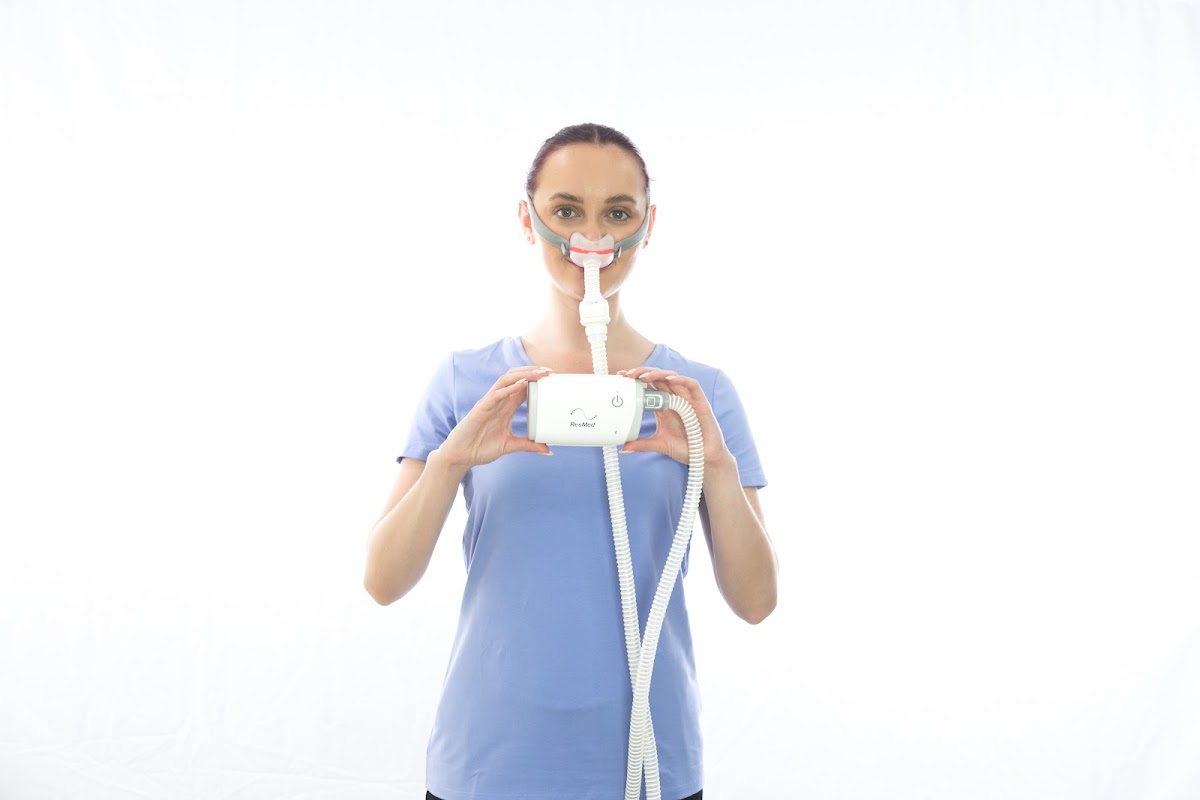
Customer with CPAP
The Four Objects You'll Use Daily
Account
The Customer
One record per customer. Holds their contact info, insurance details, equipment history, and all related orders and claims. Start here for every customer lookup.
Order
The Purchase
Every supply order — insurance or cash. Contains the items ordered, shipping address, status, and the linked insurance claim (if applicable).
Lead
The New Contact
A new inquiry that hasn't converted to a customer yet. When you call a new lead and they order, the lead converts to an Account.
Claim
The Insurance Bill
Created when we submit to insurance. Tracks claim status, payer, amounts billed vs. paid. You'll rarely work these directly — billing team handles claims.
Finding a Customer
Before every call, look up the customer in Salesforce to review their history.
1
Use the Global Search bar — type their name or phone number. Results show Accounts, Leads, and Orders.
2
Open the Account record — review past orders, equipment on file, and last contact date.
3
Check the 90-day window — are they eligible for new supplies? This is noted in the account.
4
Review insurance on file — is the carrier up to date? Is there a prescription?
Know before you call. Walking in prepared makes the whole conversation faster and more confident.
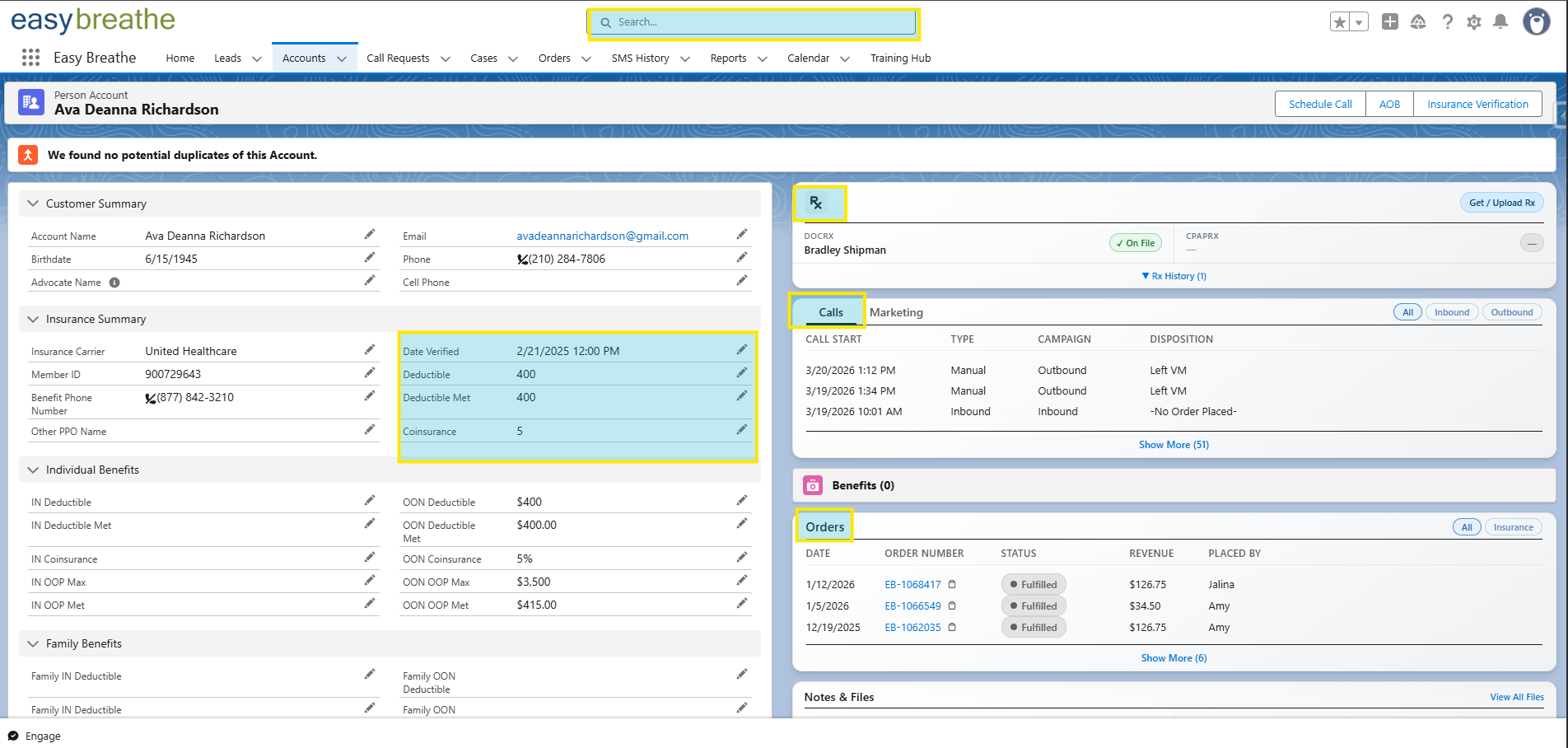
Salesforce Account record showing Global Search, Insurance Summary, Rx, Calls, and Orders sections
Key areas: Global Search · Insurance Summary · Rx · Calls · Orders
Checking Eligibility
You'll use Availity — a separate portal — to verify insurance eligibility. Salesforce stores the customer info, but the actual eligibility check runs through Availity.
Open Account
Find the customer in SF
Insurance Tab
Confirm carrier + member ID
Run in Availity
Check eligibility in Availity — results return in seconds
Read Results
Active? Deductible met? Copay? Ready to order?
The system does the hard work. You just need to know how to read the results.
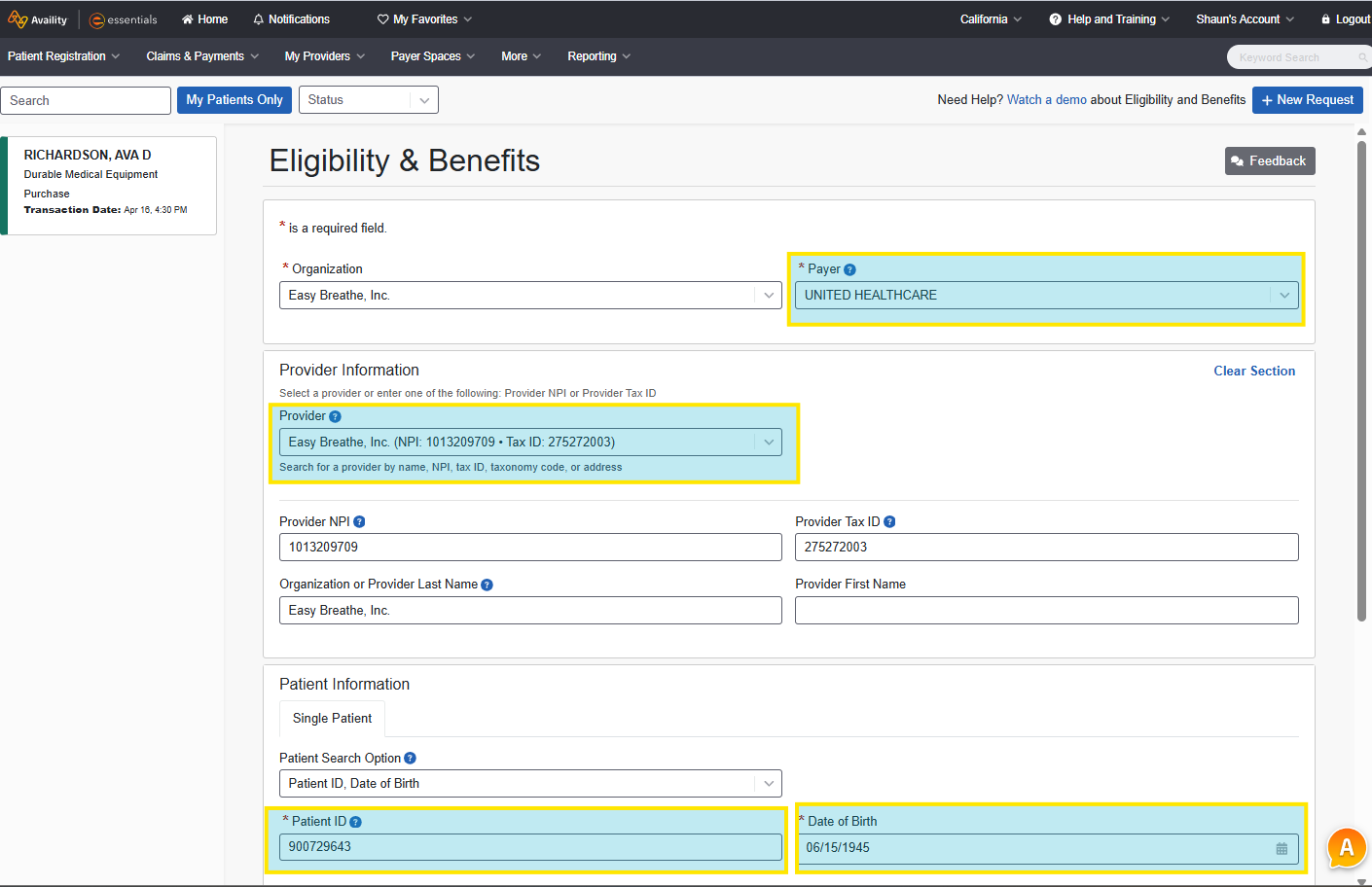
Availity Eligibility & Benefits portal showing Payer, Provider, and Patient Information fields
This is Availity — select the Payer (insurance carrier), confirm the Provider is Easy Breathe, then enter the customer's Member ID and Date of Birth to run the check.
Placing an Order — 4 Steps
1
New Order
Create from the Account record
2
Add Items
Select machine-compatible supplies
3
Billing Type
Insurance or cash — confirm and attach prescription if needed
4
Submit
Order created, customer notified, process begins
Before you submit — verify:
✓ Correct items selected
✓ Shipping address confirmed
✓ Insurance or cash chosen
✓ Notes added for special instructions
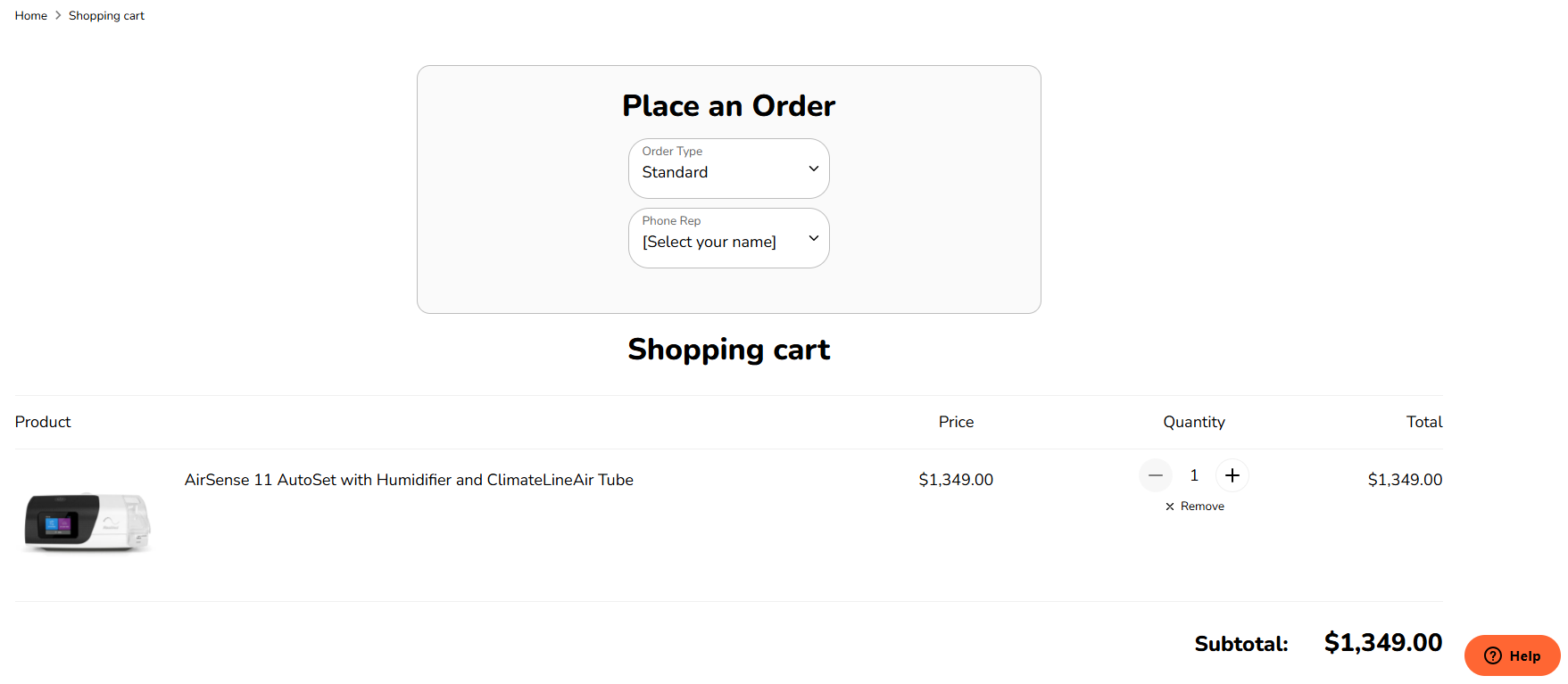
Place an Order form on easybreathe.com with Order Type and Phone Rep dropdowns
Orders are placed on easybreathe.com. On the cart page, toggle the two dropdowns to set the Order Type and select your name as the Phone Rep before submitting.
Order Statuses — What They Mean
Every order moves through these states. Know what each one means when a customer asks.
Pending
Just created. Waiting to be processed.
Verifying
Insurance being confirmed or prescription requested.
Processing
Approved. Warehouse is picking and packing.
Shipped
In the mail. Customer gets tracking info.
Complete
Delivered and closed. 90-day clock starts.
On Hold
Problem — needs action. Check notes for reason.
When a customer asks "where's my order?" — pull up Salesforce, find the order, and read the status.
Every Order Has a Record
Every order — insurance or cash — lives in Salesforce. When a customer calls, you can see exactly what they've ordered before and what they're due for next.
The Rest of the Stack
Salesforce is home base — here's what connects to it.
The Tools
Salesforce
Central hub. Customers, orders, eligibility, claims, history. You'll live here.
Five9
Cloud phone system. Predictive dialer, call recording, disposition codes. Your phone.
🛍
Shopify
Our e-commerce platform. Cash orders go through Shopify. Order confirmation emails originate here.
💬
360 SMS
SMS messaging inside Salesforce. Used for outreach, reminders, and follow-ups to customers.
Availity
Insurance eligibility portal. This is where you verify a customer's coverage before placing an insurance order.
"You don't need to know all of this on Day 1."
Salesforce is learned by doing. You'll get guided, hands-on training before you're ever left on your own. This lesson is orientation — not certification.
Focus on understanding what each system does and why it matters. The how comes with practice.
What Your Day Looks Like
8
Log into Five9 + Salesforce — campaigns start early. Be ready when the lines open.
Take calls from Five9 — work the pipeline. Every connected call is an opportunity.
Disposition every call in Five9 — Connected, Ordered, Callback, Voicemail. Don't skip this.
📋
Update Salesforce records — notes on every meaningful interaction. Future you (and teammates) will thank you.
$
Count your orders — know your daily output. Bob tracks this. Nick tracks this. Track it yourself too.
The Systems Are There to Help You
Every tool in the stack was built to make your job easier and faster. Salesforce tracks the customer so you don't have to remember everything. Five9 dials so you don't waste time. The systems do the heavy lifting.
Quick Reference
You're Not Alone in This
Bob is on the floor and will help you with anything you need. Anthony handles billing questions. You'll get hands-on training on every tool before you're expected to fly solo.
The fastest way to learn? Call as many people as you can. Every call teaches you something.
🎉
Lesson 5 — Complete.
You now know the systems that power Easy Breathe. One more lesson to go — the scripts and objection handling playbook.
✓ Lesson 1: Welcome
✓ Lesson 2: Products
✓ Lesson 3: Insurance
✓ Lesson 4: The Call
✓ Lesson 5: Salesforce
Up next → Lesson 6 of 6: Call Scripts & Objection Handling